Background
Patients with Amyotrophic Lateral Sclerosis (ALS) often gradually lose their ability to speak and control their limbs, while eye movements can remain functional for a much longer period.
Traditional solutions such as call buttons, voice assistants, or gesture-based controls all rely on some degree of physical activity, making them unsuitable for many severe ALS patients. Enabling users to actively request assistance when they can barely speak or move is a meaningful and practical challenge.
Blink Call is an assistive calling system designed specifically for this scenario. Users do not need to wear any additional devices or speak. By simply facing a camera and performing a predefined blink sequence, they can trigger a call for assistance.
Unlike the blink-calling feature I previously implemented in the CareNurse project, Blink Call is designed as a standalone desktop application. It can run directly on a standard Windows laptop and only requires an inexpensive near-infrared camera with built-in illumination, significantly reducing deployment cost and complexity. In addition, Blink Call provides a richer set of customization options, including configurable blink sequences, notification sounds, and other user preferences.
Project Overview
Blink Call is a desktop assistive calling system built with Python, PyQt, and computer vision technologies. The project is fully open-source and freely available for public use.
Project Links:
The system continuously analyzes the user's eye state through a camera feed and uses configurable blink sequences as an interaction mechanism. This approach enables reliable assistance requests while minimizing accidental triggers.
Compared to traditional assistive devices, Blink Call does not require specialized hardware and does not depend on speech or limb control, making it particularly suitable for bedridden users, individuals with limited mobility, or people who require long-term care.
Key Features
- Customizable blink sequence recognition
- Real-time eye state detection
- Call notifications with audio feedback
- Local and remote camera support
- Automatic model download and updates
- Visual debugging tools and logging
Feature Demonstrations
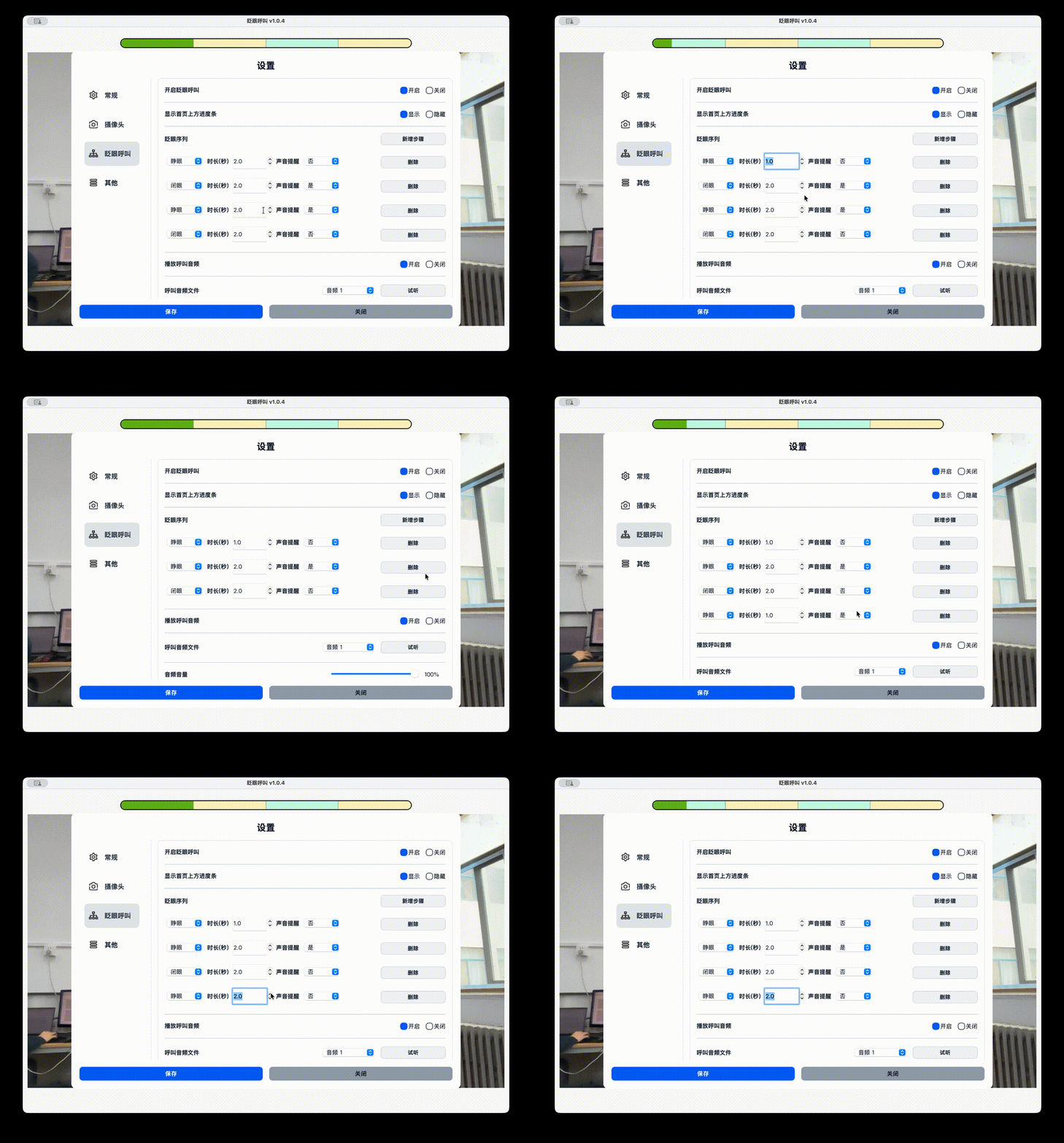
Custom Blink Sequences
Users can configure blink patterns according to their own habits, including the sequence order, duration, and number of actions.
By combining multiple eye actions into a predefined sequence, the system can effectively reduce false triggers caused by natural blinking and improve overall reliability.
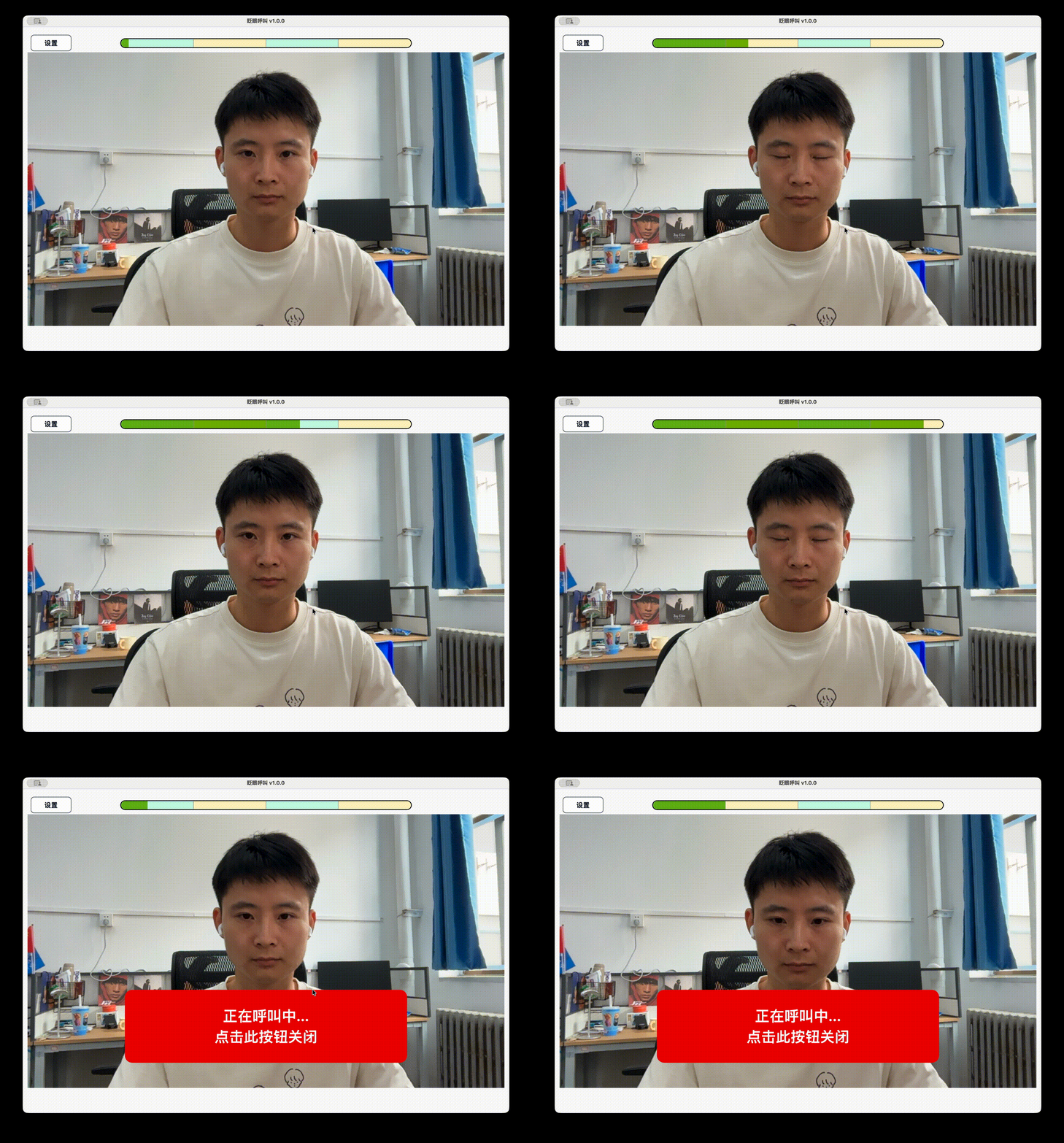
Blink-to-Call Activation
The system continuously analyzes eye states and displays the current progress of the configured blink sequence in real time.
Once the predefined sequence is successfully matched, an alert sound is immediately triggered to notify the caregiver.
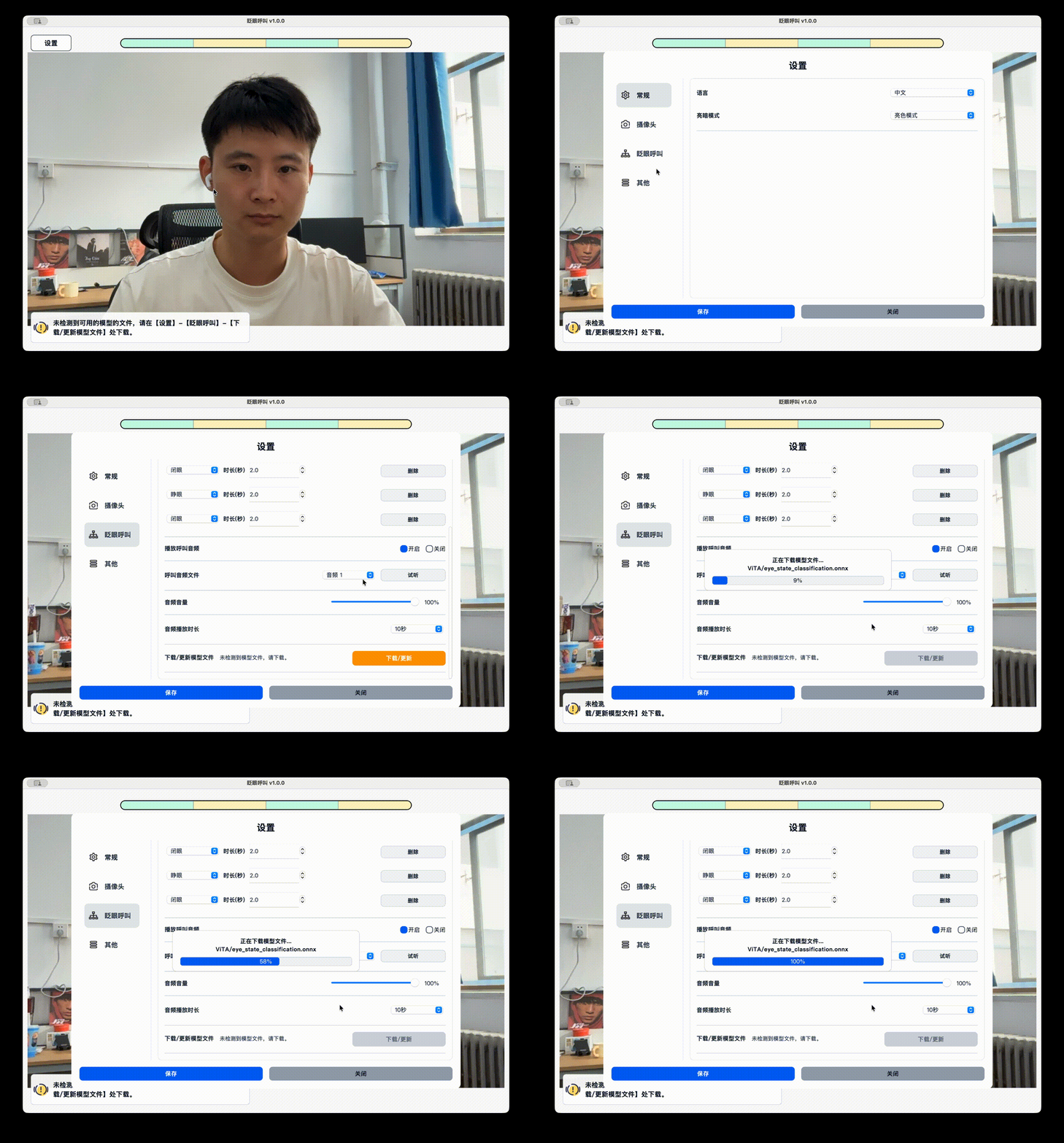
Automatic Model Management
Since the target users are not expected to have a technical background, the system includes a built-in model management mechanism.
Required AI models can be automatically detected and downloaded during the first launch, while future model updates and replacements are also supported, reducing deployment and maintenance effort.
Core Design
Reducing False Activations
Blinking is a natural and frequent human behavior.
A naive approach such as triggering a call whenever the eye closes once would result in a large number of false activations in real-world usage.
To address this issue, I designed a configurable blink-sequence mechanism. The system continuously tracks eye-state transitions and maintains sequence progress, triggering a call only when the entire predefined sequence has been completed successfully.
This design significantly improves system stability and usability while keeping the interaction simple and accessible.
Designed for Real-World Deployment
From the beginning, the project was intended to be a practical application rather than merely an algorithm demonstration.
In addition to the core recognition functionality, I implemented:
- Local and remote camera modes
- Automatic model download and updates
- Persistent configuration management
- Logging and debugging tools
- One-click Windows packaging and distribution
These capabilities provide the foundation required for real-world deployment and long-term maintenance.
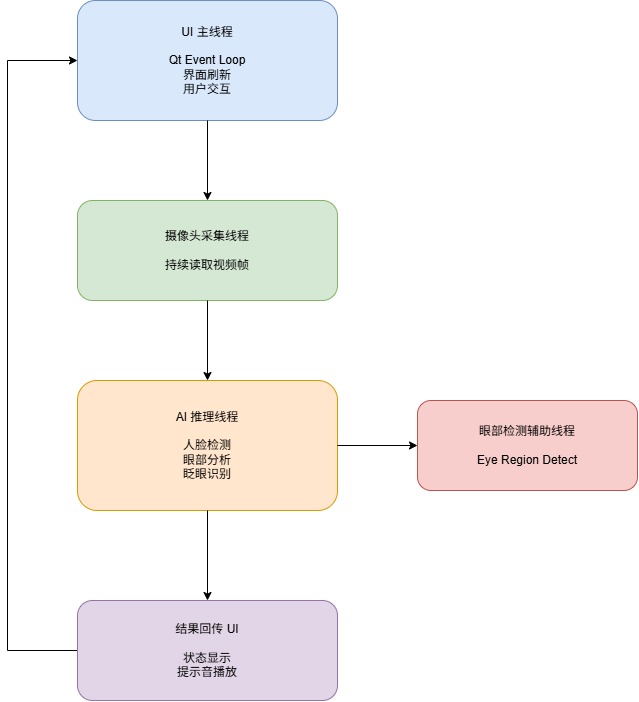
Real-Time Inference Architecture
The system must simultaneously handle:
- Video capture
- Face detection
- Eye-region localization
- Eye-state classification
- UI updates and user feedback
To ensure a smooth user experience and real-time responsiveness, the project adopts a multi-threaded architecture that decouples video acquisition, model inference, and UI rendering, preventing computational workloads from blocking the user interface.
System Architecture
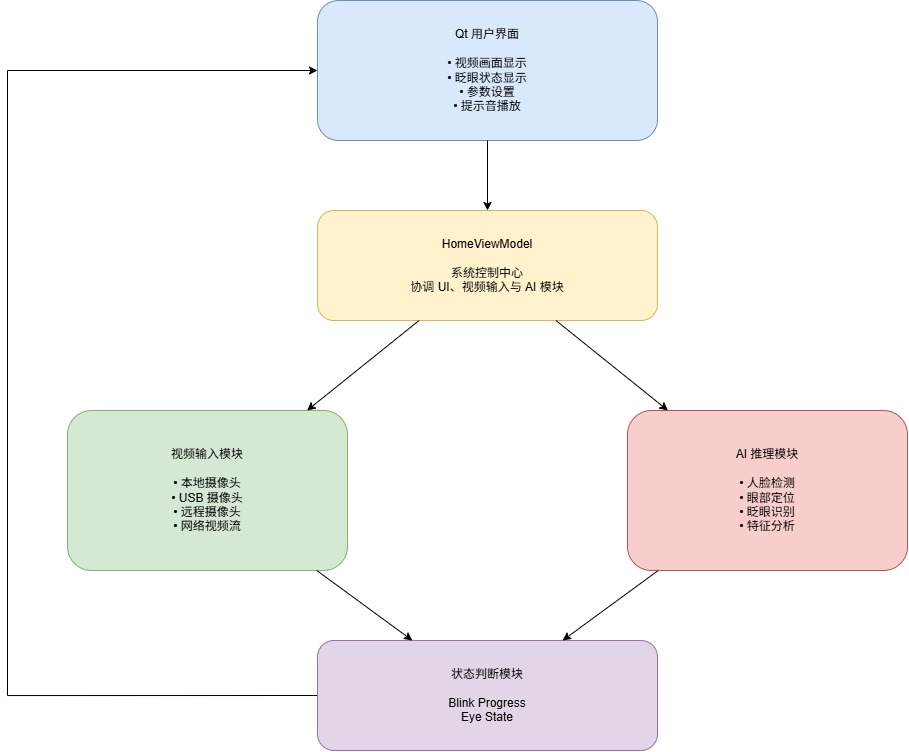
The system follows a layered architecture:
- The UI layer handles user interaction and status visualization
- The control layer coordinates application logic
- The video input layer manages local and remote camera sources
- The AI inference layer performs eye detection and state recognition
- The decision layer matches blink sequences and triggers alerts
Project Outcomes
The project has been fully implemented and is currently functional for practical use:
- Runs directly on Windows
- Includes comprehensive user documentation
- Supports automatic model management
- Supports both local and remote deployment modes
- Provides ongoing maintenance and update capabilities
The project not only demonstrates the feasibility of applying computer vision to assistive interaction scenarios, but also reflects the complete development lifecycle from requirements analysis and system design to engineering implementation and software delivery.
What I Learned
Blink Call is a complete exploration of applying AI technologies to an assistive and socially impactful use case.
Throughout the development process, I not only integrated computer vision algorithms into a desktop application, but also focused heavily on real-world usability considerations, including false activation control, deployment cost, remote operation, and accessibility for non-technical users.
Through this project, I gained experience in:
- Requirement-driven product and interaction design
- Practical deployment and engineering of computer vision systems
- Multi-threaded real-time inference architecture
- Desktop application architecture, packaging, and distribution
- Delivering maintainable software for real-world users