
Gesture-Based Teleoperation for Manipulation
Project Overview
Introduction
This system is a core component of the InternUtopia project. It enables real-time teleoperation of a Franka robotic arm through monocular RGB camera-based hand gesture recognition, while simultaneously collecting trajectory data during operation.
Core Objective: A low-cost solution for collecting robotic arm trajectory data in complex or long-horizon tasks
Tutorial Documentation: this guide provides detailed setup instructions and gesture definitions.
Key Highlights:
- Low-cost solution: Requires only a single RGB camera without additional specialized hardware
- Intuitive control: Supports special gestures for:
- Third-person view adjustment
- Coordinate system recalibration
- Motion precision tuning
- Optimized performance: Improves human-robot motion semantic consistency with higher precision and real-time responsiveness
System Architecture
Hardware Requirements
Recommended configuration:
- 2× NVIDIA RTX 4060 Ti GPUs (1 for Hamer, 1 for GRUtopia)
- 1× RGB camera
Notes:
- Single-GPU operation is supported, but with reduced frame rate
- No strict requirement on camera type; USB webcams or built-in laptop cameras are both acceptable
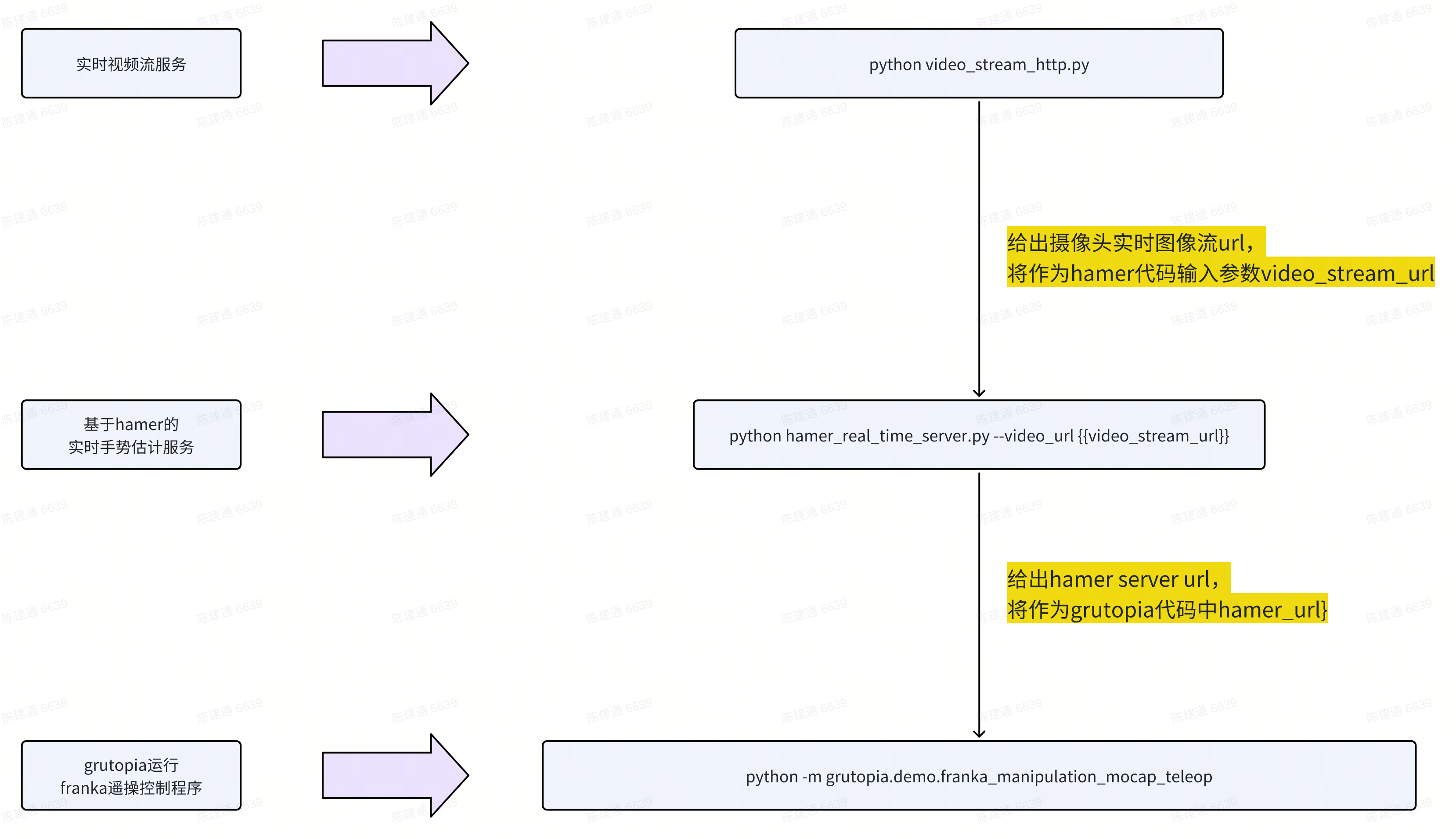
Implementation Workflow (as in tutorial)
- Launch real-time video streaming server
- Initialize hand gesture recognition service
- Start Franka robotic arm control program
Gesture Description (as in tutorial)
- Right hand: direct end-effector control
- Thumb–index pinch/release: close/open gripper
- Left hand: auxiliary control functions
- Thumb–index pinch with motion: adjust third-person view
- (See the full gesture definition in the tutorial)